Mid-term switch to a plan with another SKU
Depending on vendors settings you can switch some subscription tariff plans to another SKU during a mid-term. For example, you can "upgrade" your Microsoft CSP subscription plan at any time without waiting for the subscription period to expire.
When you "upgrade" the Microsoft plan, you can specify the current quantity or upgrade the quantity of licenses. The partial "upgrade" is currently not available.
To switch the subscription plan:
- Open the Client Control Panel (https://lv.squalio.com/client/auth/sign_in) and go through authorization process.
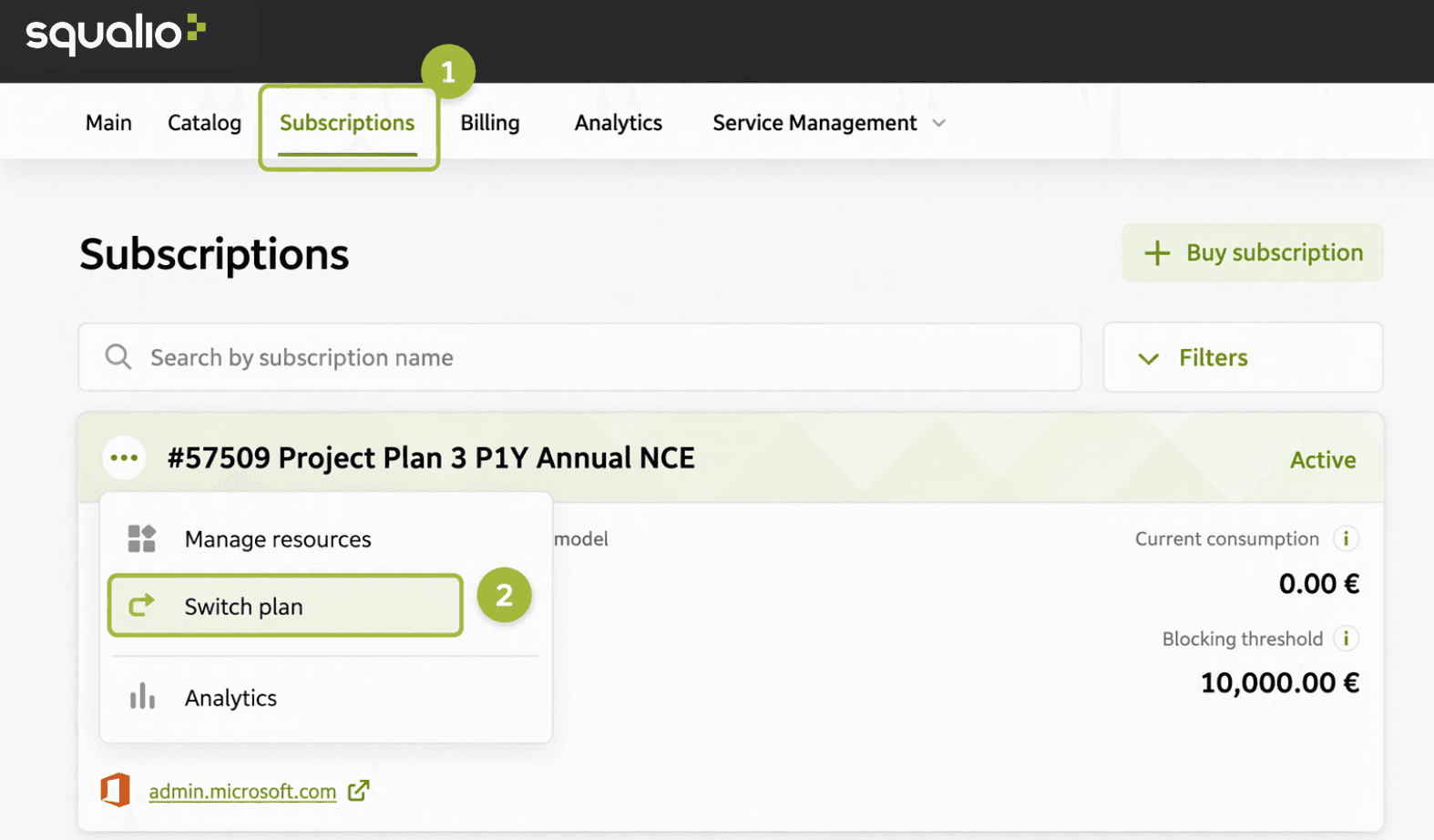
- Open the Subscriptions section ➀.
- Find the necessary subscription in the list of subscriptions.
- In the card header, click
 and select Switch plan.
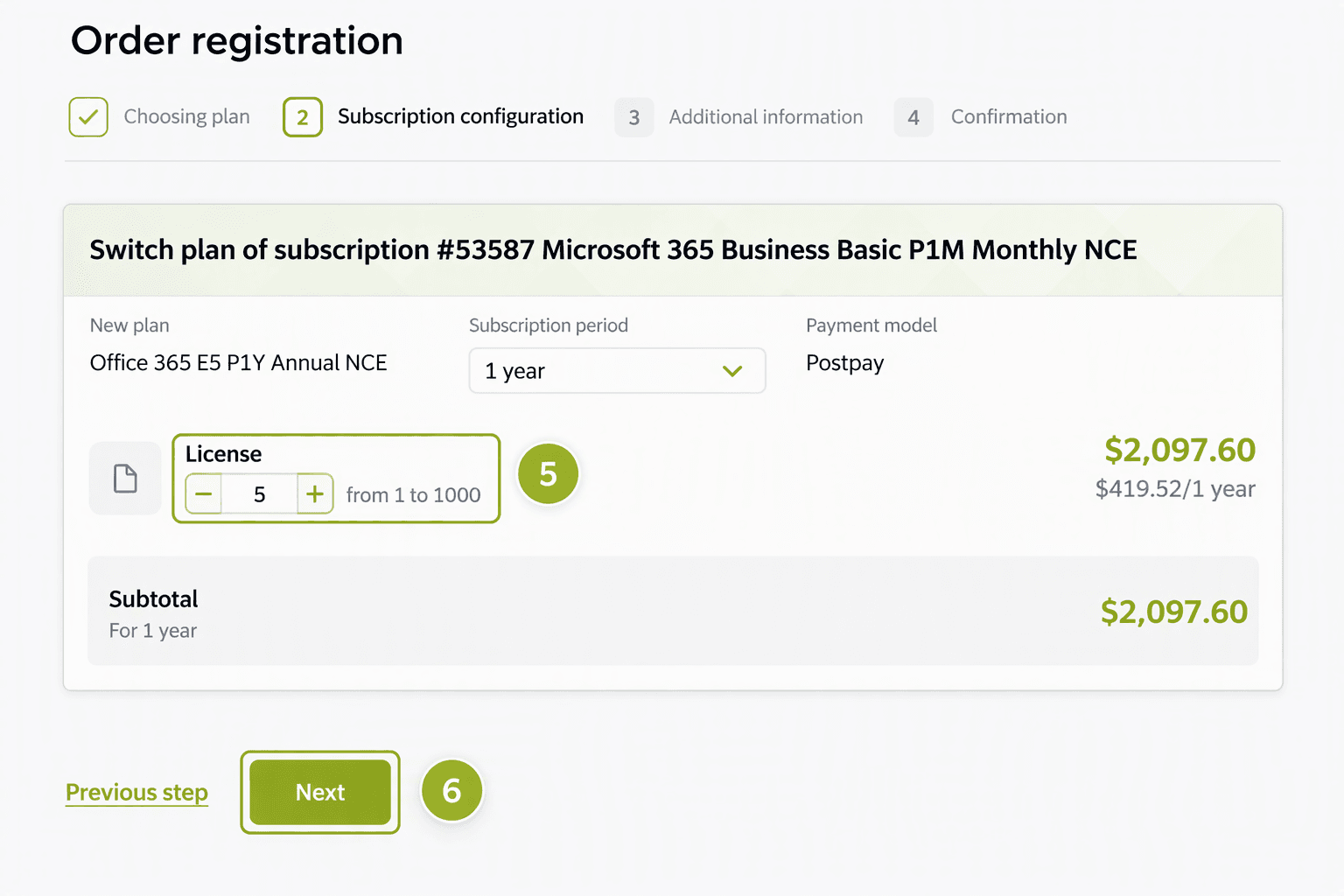
- Choose the new plan and click Next.

- If necessary, enter the new number of licenses. The platform will automatically recalculate the subscription cost.
- Click Next and confirm the order.
Squalio Market
Customer Support | |
Microsoft Technical Support | |
Client Control Panel | |
Catalog |